


An API doc says to “send the data Base64-encoded”. A URL is full of strings like “%20” and “%E2%9C%93” and you want to know what they say. You need to check whether two systems produce the same hash. In development and troubleshooting, converting data from one form to another comes up all the time.
This guide covers three related tools, the Base64 Encoder / Decoder, URL Encoder / Decoder and Hash Calculator: what each one does and how to use it. Nothing you enter is sent anywhere.
Pasting strings that contain API keys or credentials into a random converter site is best avoided. All three of these run entirely in your browser.
How the three differ
| Conversion | What it does | Reversible? |
|---|---|---|
| Base64 | Turns any data into a string of letters, digits and a few symbols | Yes (decode) |
| URL encoding | Turns characters that aren’t allowed in URLs into %XX codes | Yes (decode) |
| Hashing | Computes a fixed-length “fingerprint” of the data | No |
The key point: Base64 and URL encoding are not encryption. Anyone can reverse them instantly, so they can’t protect passwords or secrets.
Base64 Encoder / Decoder
Base64 is used wherever binary data has to travel through a text-only channel: email attachments, HTTP Basic authentication, images embedded in JSON and more.
- Paste text or a Base64 string into Input in the Base64 Encoder / Decoder
- Choose Encode (text → Base64) or Decode (Base64 → text)
- For URLs or JWTs, tick URL-safe
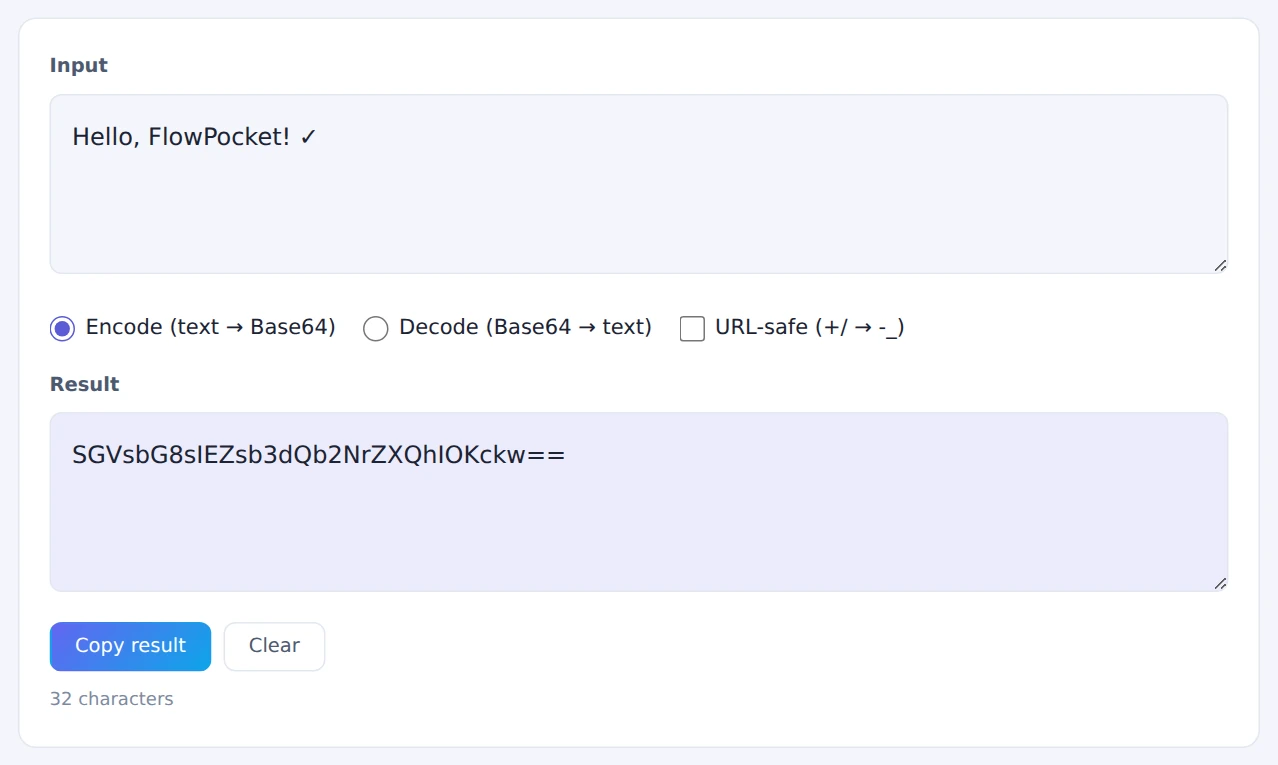
Text is handled as UTF-8, so accented characters and emoji round-trip correctly.
URL Encoder / Decoder
Spaces, accented letters and symbols in URLs become codes like “%20” or “%C3%A9”. This is URL encoding (percent-encoding).
- Paste text or a URL into Input in the URL Encoder / Decoder
- Choose Encode or Decode
- Pick the encoding type: As a parameter value for a single value such as a search term, or As a full URL to encode a complete address while keeping its structure
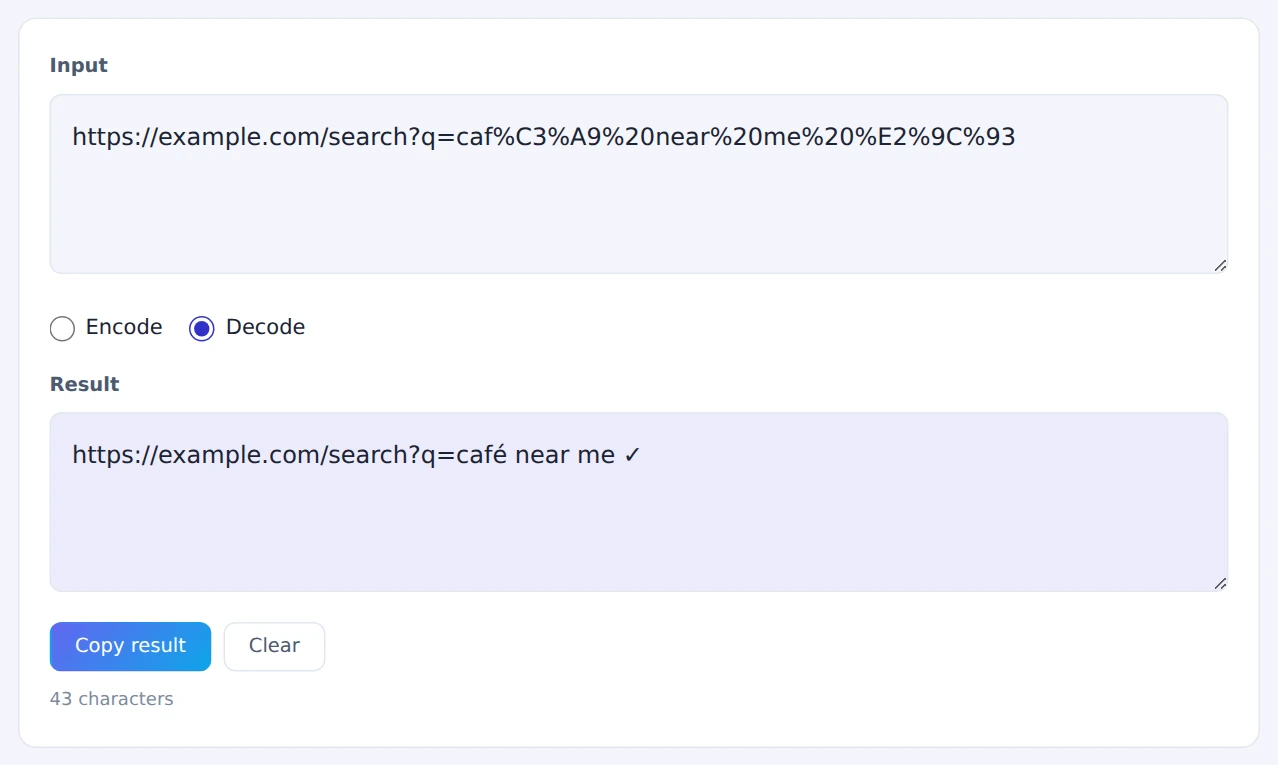
Decoding URLs from analytics or logs is a quick way to see which search terms or parameters were actually used.
Hash Calculator
A hash is a fixed-length value computed from data. Change a single character and the hash changes completely, so hashes are used to check whether two pieces of data are identical.
- Type text into Input text in the Hash Calculator
- MD5, SHA-1, SHA-256 and SHA-512 are all calculated at once
- Press Copy on the row you need
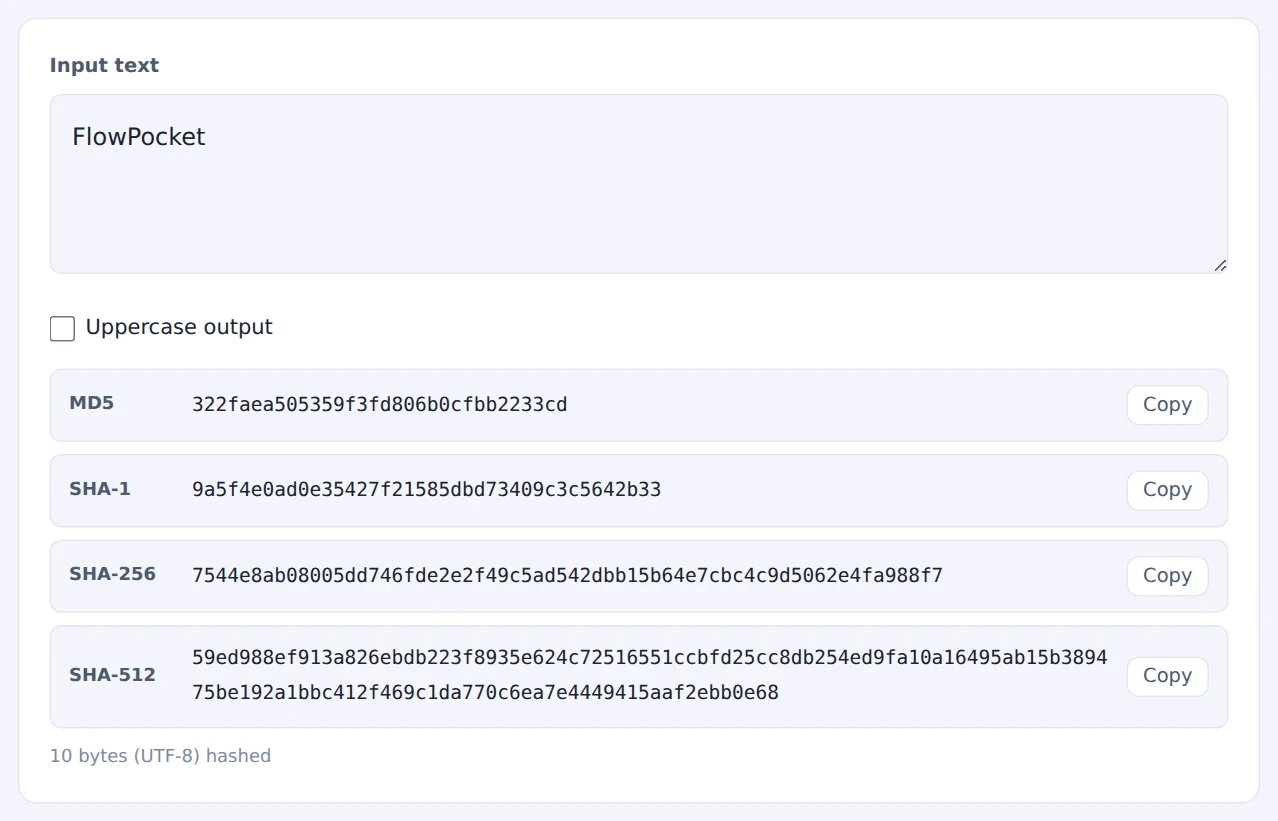
For anything new, SHA-256 is the standard choice. MD5 and SHA-1 are still used to match existing systems, but they’re no longer considered secure. Note that this tool hashes text, not files.
When they come in handy
- Testing APIs: Base64-encode a payload or decode a Base64 response
- Reading logs and analytics: decode percent-encoded URLs and parameters
- Checking data matches: confirm two systems produce the same hash for the same string
- Inspecting headers and emails: see what’s inside Base64-encoded parts
FAQ
Can Base64 hide a password?
No. Base64 is encoding, not encryption, and anyone can decode it in a second. To protect passwords or personal data, use real encryption, or a dedicated password-hashing scheme for stored passwords.
Why does my hash differ from another tool’s?
The usual causes are a different character encoding (UTF-8 vs. something else) or a trailing line break or space. A single different byte changes the hash completely, so make sure the input is exactly the same.
Can I use these hashes to store passwords?
For stored passwords, use a slow, purpose-built algorithm such as bcrypt or Argon2, not a fast hash like SHA-256. Use this tool for checking and comparing data.
Things to keep in mind
- Encoding isn’t encryption: it doesn’t keep anything secret
- Text is treated as UTF-8: results may differ from tools using other encodings
- Decoded JSON? Make it readable with the JSON Formatter
- Need a strong password? Use the Password Generator
Summary
Base64 and URL encoding are reversible conversions; a hash is a one-way fingerprint. Once you know the difference, they’re much less confusing when they show up in docs or error messages.
All three tools work without sending your data anywhere, even when it contains API keys.