


You want a QR code on a flyer, a business card or a sign at your shop. Many free QR code sites make you sign up first, and some quietly give you a code that stops working after a trial period.
This guide shows how to create a QR code from a URL or text and save it as an image with the free QR Code Generator. No sign-up is needed, and what you type is never sent anywhere.
When I was putting a QR code on an event notice, I learned that codes from some generators stop working after a while. I kept this one simple: your content goes straight into the code, so it keeps working for as long as you need it.
How QR codes work
A QR code is a two-dimensional barcode that stores information as a pattern of small black and white squares. The URL or text is encoded directly into the pattern, so when a phone camera scans it, the original URL or text comes back.
QR codes also include error correction, so they can still be read when they’re dirty or partly damaged. There are four levels: L (7%), M (15%), Q (25%) and H (30%). Higher levels survive more damage, but the pattern becomes denser.
What this tool does
- Creates a QR code from a URL or any text, instantly as you type
- Handles non-English text too
- Lets you choose the size (200–600px) and error-correction level
- Downloads the code as a PNG image
- Generates the code inside your browser without sending your input to a server
How to use it
STEP 1. Open the tool
Open the QR Code Generator. There’s no sign-up or login.
STEP 2. Enter a URL or text
Type or paste the URL or text into the box. The QR code appears below as you type.
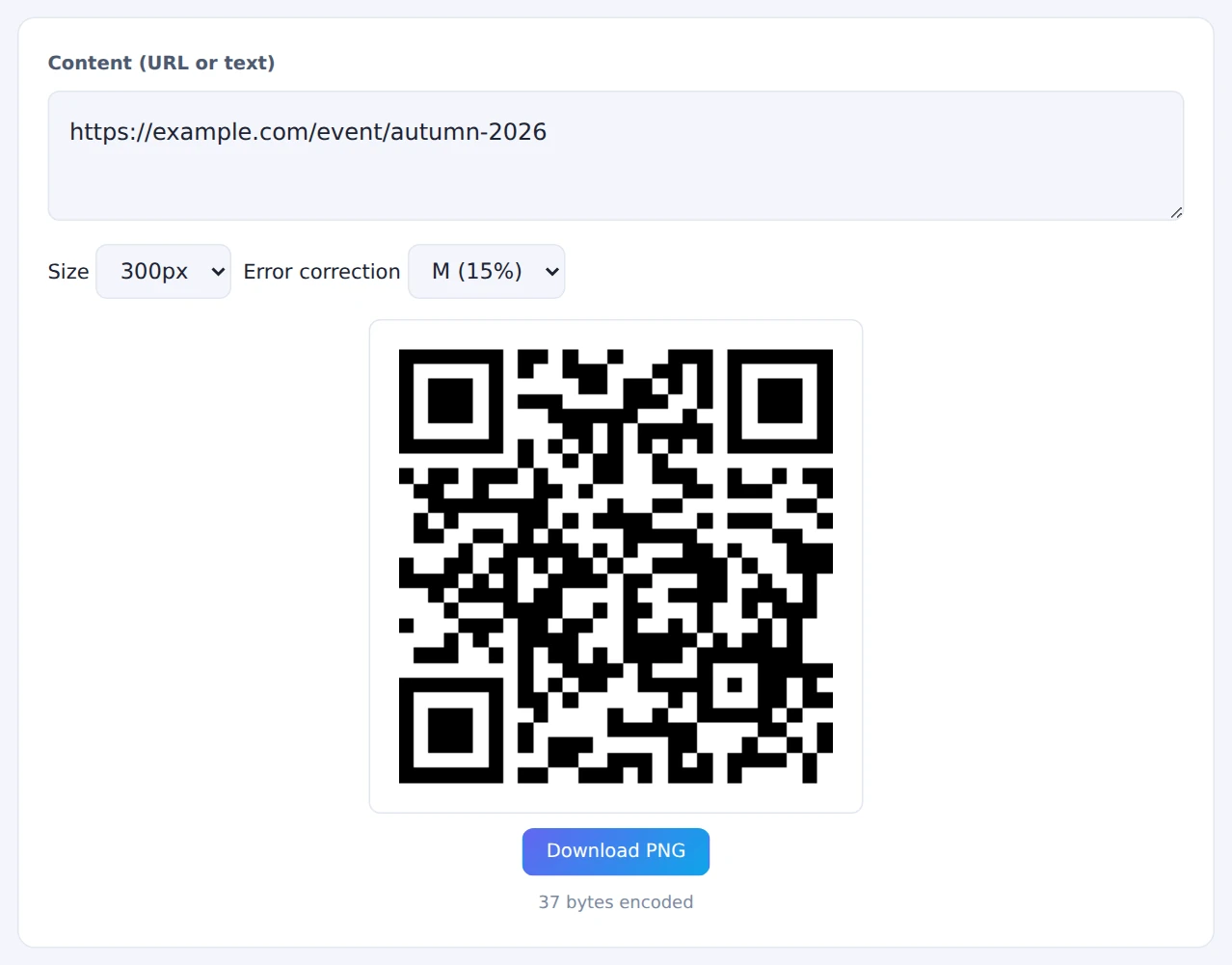
STEP 3. Choose the size and error correction
For print or the web, a Size of 300–400px and Error correction set to M are enough. For outdoor signs or anywhere the code may get dirty or scratched, choose Q or H.
STEP 4. Download and test it
Press Download PNG to save the image. If it’s going on something printed, always print a test copy and scan it with a real phone camera to make sure it opens the right page.
The white border around the downloaded code is part of what makes it readable. If you trim it off to fit your design, phones may fail to scan it.
When it comes in handy
- Flyers and posters: send people to a sign-up or event details page
- Business cards: link to your website or social profile
- Shop signs and menus: point customers to booking or review pages
- Handouts and slides: let your audience open a reference link on their phones on the spot
FAQ
Do these QR codes expire?
No. The URL or text is encoded directly in the pattern, so the code works indefinitely. If the web page it points to is deleted or moved, though, the code will lead to a page that no longer exists.
Why do some QR codes expire?
Some QR services put their own redirect link in the code instead of your URL, so every scan passes through their server before reaching your page. That lets you change the destination later, but if the free period ends or the service shuts down, the code stops working.
Can I use QR codes commercially?
Yes. QR codes were developed by DENSO WAVE, and the specification is open, so you can use them freely on flyers, business cards and product packaging. “QR Code” is a registered trademark of DENSO WAVE INCORPORATED.
Things to keep in mind
- Very long text may not fit: if you get an error, shorten the content or lower the error-correction level
- Don’t print it too small: about 2 cm (roughly 0.8 inch) per side is a common minimum. The farther away people will scan from, the larger it needs to be
- Keep the contrast strong: low contrast with the background makes codes hard to read. Black on white is the safest choice
- Need to read a QR code instead? To check what’s inside a QR code in an image, use the QR Code Reader
Summary
With the QR Code Generator, you can make a QR code with no sign-up and no expiry just by entering a URL, and your input never leaves your device.
Before you print, scan the code with your phone to make sure it works.

